Zone Arc
Your heart-rate zone on a coloured arc beside analog hands and four data dials.
Get Zone Arc on the Connect IQ Store Free
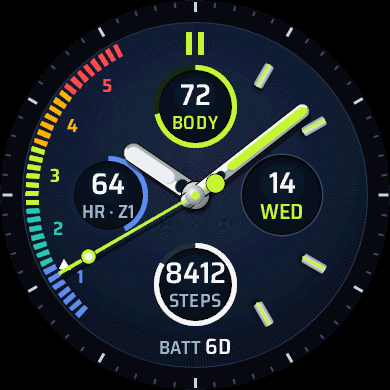
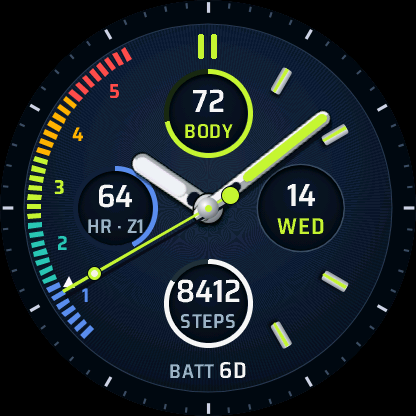
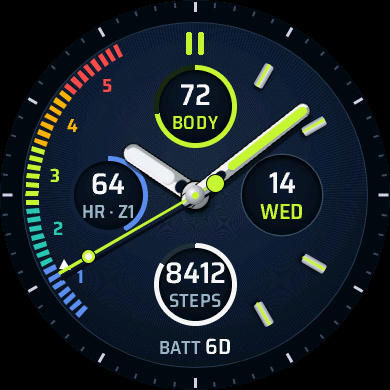
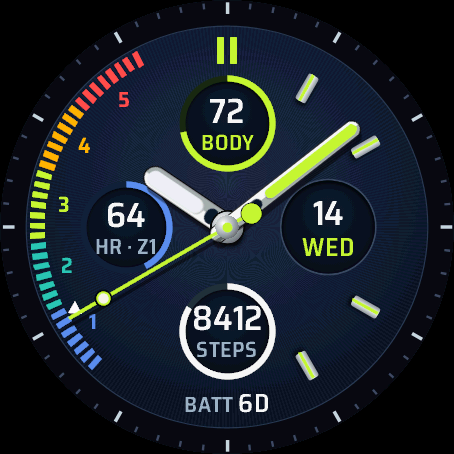
Zone Arc is for days you train. A coloured arc on the left is split into heart-rate zones 1 to 5, with a pointer showing where you are now.
On the face
- Hour, minute and seconds hands. The minute hand moves every second, as on a real watch
- Heart-rate zone arc with a pointer
- Four small dials: Body Battery™, heart rate with its zone, the date and steps
- Battery days along the bottom to start with
What you can change
The top dial, the bottom dial and the bottom line can be changed from your phone, and each can be switched off. The dials take Body Battery™, battery days, stress, intensity minutes, floors, sleep score or steps. The bottom line takes battery days, sunset, sunrise, temperature, resting heart rate, Body Battery™, stress or steps.
Also in the phone settings: the colour and seconds on or off. Units follow your watch's setting. On a touch watch, touch and hold a field to open the matching screen on the watch.
Settings are changed in the Connect IQ Store app or the Garmin Connect app on your phone. How settings, always-on mode and missing values work.
Watches
- Venu® 2, 2 Plus, 3, 3S and 4 (41 mm and 45 mm)
- vívoactive® 5 and 6
- Forerunner® 70, 165, 170, 265, 570, 965 and 970
- fēnix® 8, 9 and E
- epix™ (Gen 2) and epix™ Pro
- MARQ® (Gen 2 and Gen 3)
- D2™ Mach 1, Mach 2, Air X10 and Air X15
- Descent™ Mk3 and G2
- Approach® S50, S70 and S72
- Instinct® 3 AMOLED (45 mm and 50 mm)
On each screen size