Track Hybrid
Hands over a seven-segment time, in the colours of old CRT, VFD, Nixie and LED displays.
Coming soon to the Connect IQ Store. Free.
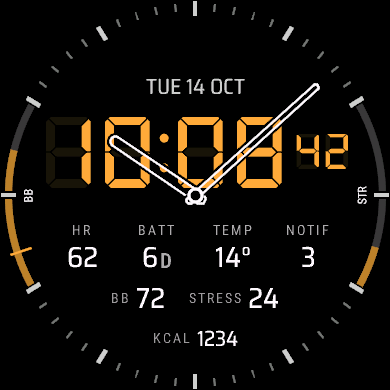
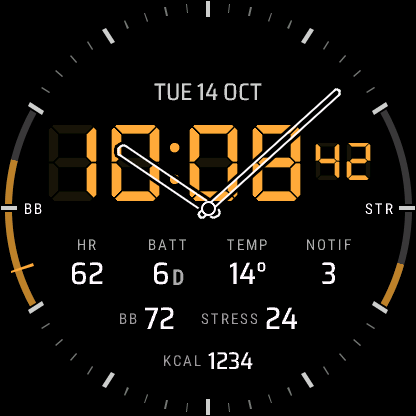
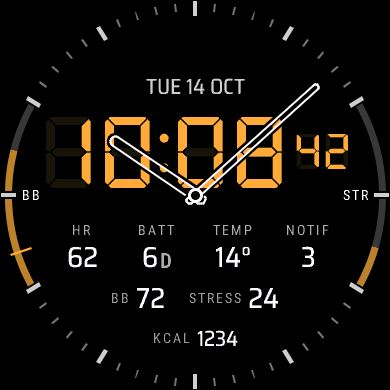
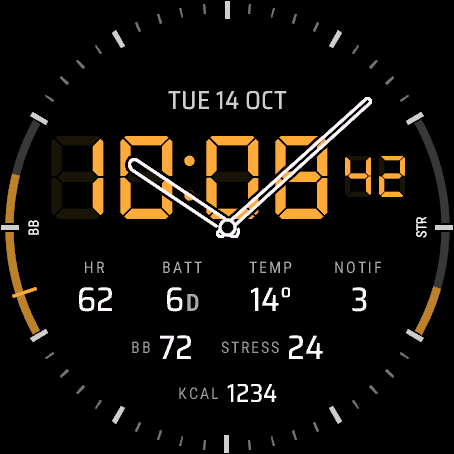
Track Hybrid puts outline analog hands over a seven-segment time. Its colour presets are named after the display technology they copy. Pick one and the whole face follows.
On the face
- Analog hands over a seven-segment time, with seconds in active mode
- Top field: the date, or ISO week, a second time zone, your next event, sunrise, sunset, temperature or weather
- Two band gauges inside the minute track, names curved along them: Body Battery™ and stress to start with
- Four data fields: heart rate, battery days, temperature and notifications to start with
- Footer, calories to start with
What you can change
Every field and gauge can be changed from your phone, and most can be switched off for a cleaner dial.
Also in the phone settings: 12 or 24 hour time or the watch's setting, a leading zero for 12 h, seconds on or off, the date style (TUE 14 OCT, 14 OCT TUE, TUE 10/14 or 2026-10-14), the always-on style (Rich, Minimal or Time only), units, the first day of the week and a second time zone. On a Venu 4, touch and hold a field to open the matching screen on the watch.
Settings are changed in the Connect IQ Store app or the Garmin Connect app on your phone. How settings, always-on mode and missing values work.
Watches
Venu® 4 45 mm, Venu® 4 41 mm, Instinct® 3 AMOLED 50 mm, Instinct® 3 AMOLED 45 mm. The D2™ Air X15 runs it too.
On each screen size