Duo Dial
Analog hands and an LCD window on one dial, like the analog-digital sports watches of the 80s and 90s.
Coming soon to the Connect IQ Store. Free.
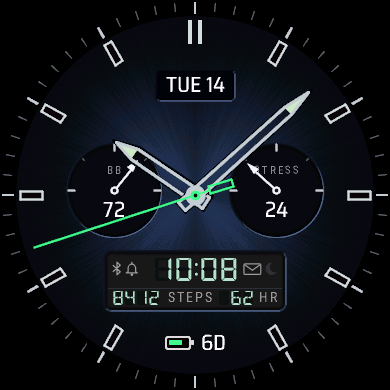
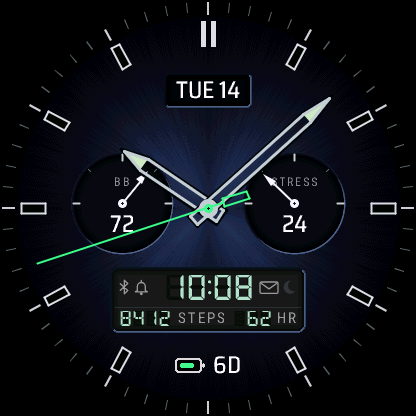
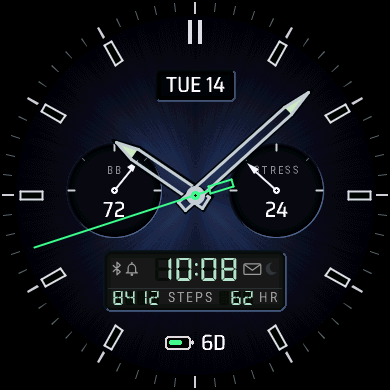
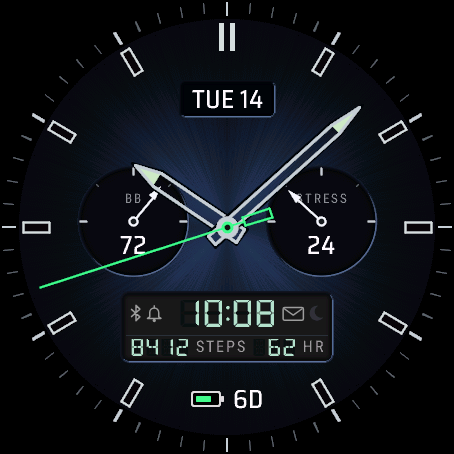
Duo Dial is an analog-digital face. The hands run over a textured dial, with a date window, two sub-dials and an LCD window with segment digits set into it.
On the face
- Hour, minute and seconds hands over a textured dial
- Date window: the date, the ISO week or a second time zone
- Two sub-dials with a needle and value: Body Battery™ and stress to start with
- LCD window with the digital time, two values and status icons for Bluetooth, alarms, notifications and do not disturb
- Battery with days left or percent
What you can change
The sub-dials take readings that fill a scale: steps, floors, intensity minutes, Body Battery™, stress, Pulse Ox, sleep score, battery, battery days, rain chance or solar intensity. The LCD window's two values, the date window and the battery display are set from your phone too.
Also in the phone settings: 12 or 24 hour time or the watch's setting, a leading zero for 12 h, seconds on or off, the date style (TUE 14 OCT, 14 OCT TUE, TUE 10/14 or 2026-10-14), the always-on style (Rich, Minimal or Time only), units, the first day of the week and a second time zone. On a Venu 4, touch and hold a field to open the matching screen on the watch.
Settings are changed in the Connect IQ Store app or the Garmin Connect app on your phone. How settings, always-on mode and missing values work.
Watches
Venu® 4 45 mm, Venu® 4 41 mm, Instinct® 3 AMOLED 50 mm, Instinct® 3 AMOLED 45 mm. The D2™ Air X15 runs it too.
On each screen size